BY NYC Energy Code Team
ON 16 Jul 2026
NYC Local Law 152
How to Look Up NYC Building Energy Grades: A Complete Guide Before the Sign Shows Up
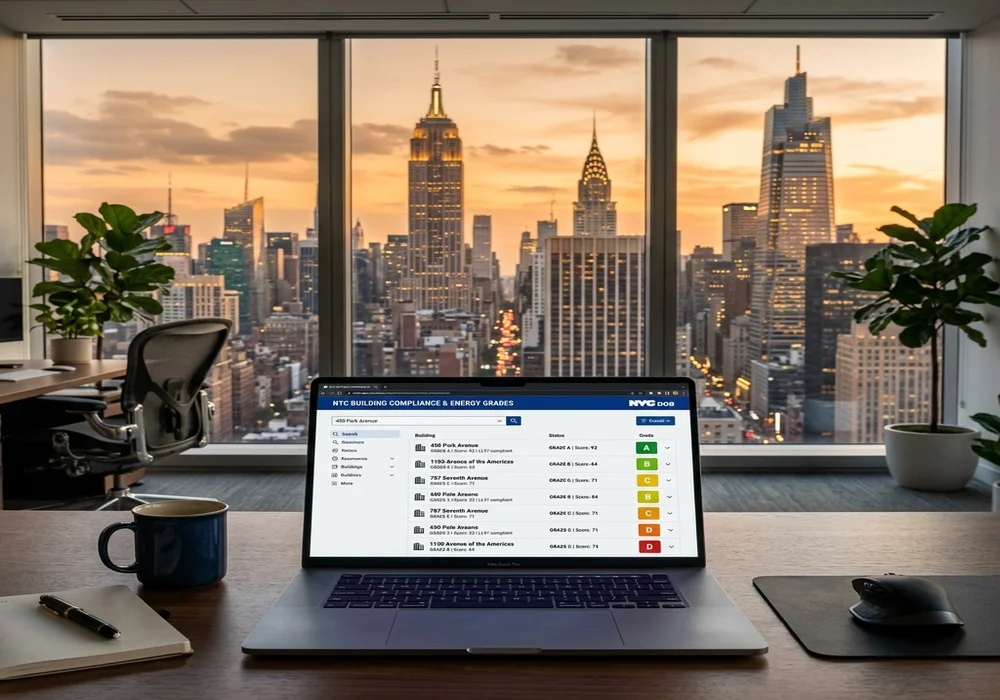
Look Up Energy Grade NYC Building: How to Check Your Building Before the Sign Shows Up
Every year, thousands of New York City building owners prepare for another round of compliance deadlines involving benchmarking, energy reporting, and public disclosure requirements.
One of the most visible outcomes of these requirements is the Building Energy Efficiency Rating—commonly referred to as the NYC Building Energy Grade.
Unlike many compliance records that remain inside government databases, the energy grade is designed to be displayed publicly at covered buildings. Tenants, buyers, brokers, lenders, board members, and visitors may all see it before they ever speak with building management.
Because the grade becomes part of a property's public image, owners should avoid waiting until the printed label is ready to discover what their building received.
The good news is that the information is available online before posting. By checking the building's records early, owners can verify benchmarking information, identify reporting problems, and prepare for posting season with fewer surprises.
If you are wondering how to look up energy grade NYC building records, this guide explains the process in plain English.
Why NYC Publishes Building Energy Grades
New York City's Building Energy Efficiency Rating program was created to make building energy information more transparent.
Rather than limiting energy performance data to government agencies or building owners, the city requires qualifying buildings to publicly display an annual energy grade based on benchmarking information.
The objective is to encourage:
- Better building energy management
- Greater transparency
- Public awareness
- Improved long-term energy efficiency
- More informed decisions by tenants and buyers
For covered buildings, the energy grade becomes part of the building's public identity.
Why Owners Should Check Before Posting Season
Many owners assume they will first learn their grade when the printed label is downloaded or displayed.
That approach creates unnecessary risk.
If there is a problem involving:
- Benchmarking submissions
- Building information
- Reporting acceptance
- Missing data
- Administrative errors
there may be less time to investigate and resolve the issue once posting deadlines approach.
Reviewing records early provides a chance to identify problems before the grade is displayed publicly.
Energy Grades Are Public Information
Building owners are no longer the only people interested in energy performance.
Many different groups review these records. These include:
- Prospective tenants
- Existing tenants
- Commercial occupants
- Property buyers
- Real estate brokers
- Investors
- Mortgage lenders
- Condominium boards
- Cooperative boards
- Property managers
- Energy consultants
Because the information is publicly available, it often becomes part of leasing, financing, and due diligence discussions.
Where to Look Up Your Building's Energy Grade
The official Building Energy Efficiency Rating Label is available through the DOB NOW Public Portal.
The label is not mailed to building owners. Instead, an owner or authorized representative must retrieve it online, download it, and print it for posting.
The Department of Buildings also publishes annual energy grade data disclosures for covered buildings.
Step-by-Step: How to Look Up an Energy Grade
The process is straightforward.
Step 1
Visit the official DOB NOW Public Portal.
Step 2
Locate the Building Energy Efficiency Rating section.
Step 3
Search using the property's Borough, Block, and Lot (BBL). The DOB search requires the Borough, Block, and Lot information rather than only the street address.
Step 4
Select the correct building. If multiple Building Identification Numbers (BINs) appear, choose the correct property.
Step 5
Download the Building Energy Efficiency Rating label. Before downloading, the system asks the requester to provide basic information and acknowledge the required attestations.
Step 6
Review the grade carefully before posting. Confirm that it matches your expectations and review supporting benchmarking records if questions arise.

When Are Energy Grades Released?
The NYC Department of Buildings issues Building Energy Efficiency Rating labels annually.
For most reporting years:
- Benchmarking reports are due by May 1.
- Energy grade information becomes publicly available later in the year.
- Energy labels are issued on October 1.
- Covered buildings are generally required to post the label within 30 days after October 1.
Owners should always verify the current year's schedule because deadlines may change through legislation or service notices.
What the Grade Can Tell You
The grade provides more than a simple letter.
It may indicate whether:
- Benchmarking was completed.
- Required reporting was accepted.
- Energy performance compares favorably with similar buildings.
- Administrative issues require review.
The grade should be viewed as a starting point for understanding building energy compliance.
Understanding the Different Grades
Under the current grading system:
| Grade | ENERGY STAR Score | Meaning |
|---|---|---|
| A | 85 or higher | Excellent energy performance among similar buildings |
| B | 70 – 84 | Good energy performance |
| C | 55 – 69 | Average energy performance |
| D | Below 55 | Below average energy performance |
| F | N/A | Required benchmarking information was not submitted |
| N | N/A | Building is exempt or not eligible for an ENERGY STAR score |
Understanding these categories helps owners interpret what the posted label represents.
Why an F Grade Deserves Immediate Attention
Among all energy grades, F usually generates the most questions.
An F grade often indicates that required benchmarking information was not submitted on time, rather than simply reflecting poor energy efficiency.
If your building receives an F, review:
- Benchmarking obligations
- Submission status
- Filing confirmations
- Reporting acceptance
- Supporting documentation
Resolving administrative issues early helps prepare for future reporting cycles.
Benchmarking Should Always Be Verified
Before evaluating the grade itself, owners should confirm:
- Was the building required to benchmark?
- Was the benchmarking report submitted?
- Was the submission accepted?
- Were all required utility data included?
- Were reporting deadlines met?
Many energy grade questions begin with benchmarking records.
Review Previous Energy Grades
Owners benefit from comparing current information with previous years.
Look for trends involving:
- Energy grades
- Benchmarking submissions
- Utility consumption
- Capital improvements
- Building operations
Historical comparisons often reveal whether changes are part of a long-term pattern.

Why Buyers and Lenders Check Energy Grades
During property transactions, energy information has become part of routine due diligence.
Potential buyers may review:
- Public energy grades
- Benchmarking history
- Compliance records
- Building operating information
Mortgage lenders and investors may also request clarification if the public records raise questions.
Maintaining organized documentation simplifies these conversations.
Why Boards and Property Managers Monitor Grades
Condominium boards, cooperative boards, and management companies frequently review energy information when discussing:
- Capital improvements
- Operating budgets
- Sustainability initiatives
- Long-term maintenance
- Compliance planning
Publicly available grades often influence these discussions.
Create an Energy Compliance Folder
Owners should organize all energy-related documentation in one location. Include:
- Benchmarking reports
- Utility records
- Submission confirmations
- Previous energy grades
- Correspondence
- Improvement projects
- Compliance calendars
Organized records make future reporting significantly easier.
Common Mistakes Owners Make
Many administrative problems result from avoidable mistakes.
Common examples include:
- Waiting until October to check the grade.
- Assuming the label will arrive by mail.
- Losing benchmarking confirmations.
- Ignoring an unexpected grade.
- Failing to verify building information.
- Forgetting to compare previous years.
- Treating the energy grade as only a marketing issue.
Most of these issues can be prevented with early review.
Best Practices Before Posting Season
Owners should consider the following annual routine:
- Verify benchmarking obligations.
- Confirm reports were submitted.
- Check submission acceptance.
- Review published energy grades.
- Download the official label.
- Organize supporting documentation.
- Compare with previous years.
- Update compliance records.
Performing these steps before posting season reduces last-minute problems.
Energy Grade Lookup Checklist
Before posting season, confirm the following:
- Building is covered under benchmarking requirements
- Benchmarking report submitted
- Submission accepted
- BBL information verified
- Energy grade reviewed
- Previous grades compared
- Official label downloaded
- Documentation organized
- Posting requirements understood
- Annual compliance calendar updated
Practical Takeaway
Your building's energy grade is one of the few compliance records that the public is expected to see.
Waiting until the official sign is ready leaves little time to identify reporting problems or administrative errors.
Instead, owners should review their records early, confirm benchmarking compliance, download the official Building Energy Efficiency Rating label through the DOB NOW Public Portal, and verify that the published information accurately reflects the building's reporting history.
A few minutes spent reviewing the record before posting season can prevent unnecessary questions later.
Conclusion
Knowing how to look up energy grade NYC building information allows owners to stay ahead of one of the city's most visible compliance requirements.
Because Building Energy Efficiency Rating labels are publicly displayed, owners should review benchmarking records, verify reporting acceptance, and download the official label before posting deadlines arrive. Early review helps identify missing submissions, incorrect information, or unexpected grades while there is still time to investigate.
Rather than treating the annual energy grade as simply another sign to print, owners should view it as an important part of building compliance, public transparency, and long-term property management.
Frequently Asked Questions
Why should owners check their building's energy grade before posting season?
Checking early gives owners time to verify benchmarking submissions, confirm reporting accuracy, investigate unexpected grades, and organize documentation before the official posting deadline.
Where can I look up my building's energy grade?
The official Building Energy Efficiency Rating label can be retrieved through the DOB NOW Public Portal using the property's Borough, Block, and Lot (BBL).
When are energy labels released?
For most reporting years, labels are issued annually on October 1, and covered buildings are generally required to display them within 30 days.
What does an F energy grade mean?
An F grade generally indicates that required benchmarking information was not submitted on time. Owners should review their benchmarking records and submission status.
Does the City mail the energy grade label?
No. Building owners or their representatives must download the official label through the DOB NOW Public Portal and print it for posting.
What records should owners keep?
Maintain benchmarking reports, submission confirmations, utility records, previous energy grades, correspondence, and copies of the posted Building Energy Efficiency Rating label.
You may also like